How To Train Your AI: The Different Levels of Dragon… I Mean AI Training!
Fine-tuning, RAG, prompting — a plain-English tour of what each level of AI training actually costs you and when it's worth it.
A Simple Guide To The Different Type’s Of Ai Train And When To Use Them
1. So, You Want to Train an AI (Introduction)
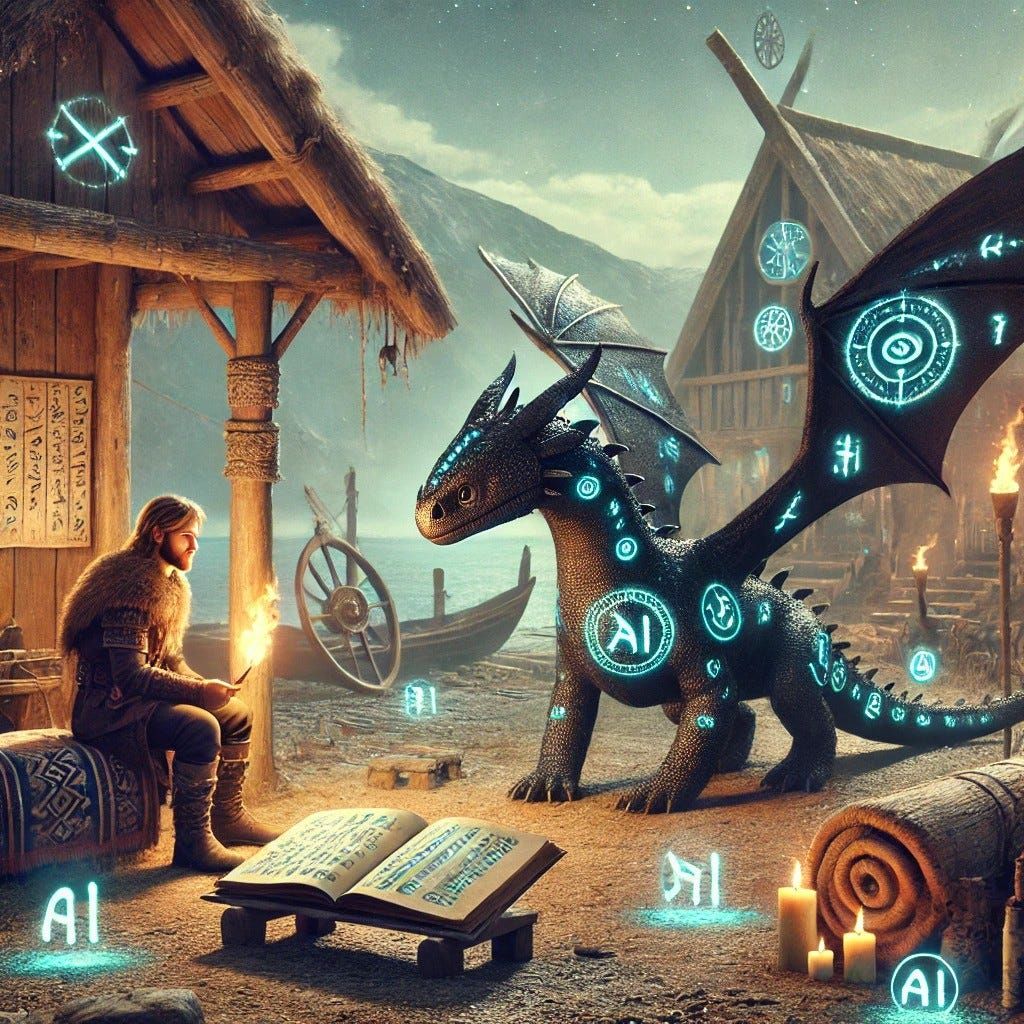
The world of AI training is a lot like raising dragons (okay not really, but I this syle or article is more fun to write… Don’t worry its still all very informative). You can start with basic commands, teaching your AI to “sit” and “stay” through simple prompts. Or you can go full Targaryen and raise a completely new species from scratch. Your choice largely depends on whether you have the resources of the Iron Bank or just a few Gold Dragons to spare and what your Use Case Conquest plans are.
Let’s explore the different levels of AI training, from the equivalent of teaching your pet lizard to fetch, all the way to breeding fire-breathing behemoths that could disrupt entire industries.
Before we dive in, let’s address the elephant size dragon in the room: the word “training.” If you want to make a machine learning engineer twitch, just casually mention how you “trained” your AI by writing better prompts. In techinical circles, “training” has a very specific meaning — it’s what happens when you’re actually updating the model’s thought processes through fine-tuning or training from scratch. Everything else — prompts, RAG, knowledge graphs — is just passing information through an existing model. The model isn’t learning; it’s just working with more context.
But here’s the thing: we don’t have great terminology for “giving AI information so it understands it better.” And “information augmentation techniques for large language models” doesn’t exactly roll off the tongue. So for simplicity’s sake, we’re going to call all of these methods “training.” The ML purists might cringe, but they’ll survive.
Now, with that out of the way:
TL;DR — How to Train Your AI: The Different Levels of AI Training
1️⃣ Prompt Engineering— The easiest way to give AI knowledge by including information directly in the prompt. Quick and flexible, but expensive at scale and limited by token context.
✅ Best for: Defining rules, enforcing behaviors, and injecting small bits of knowledge into AIs understanding
2️⃣ Retrieval-Augmented Generation (RAG)— AI retrieves external documents before responding. Can be scaled to millions of documents, but relationships between facts are weak.
✅ Best for: Keeping AI updated with external knowledge bases (e.g., chatbots, FAQs, internal documentation etc).
3️⃣ Knowledge Graphs— A structured way to store relationships between facts. AI can reason across multiple data points, but requires clean, well-organized data.
✅ Best for: AI applications that need logical, interconnected relationships, like research or enterprise data dataset, but don’t need the foundational model to understand it.
4️⃣ Fine-Tuning — Adapting a pre-trained model with your own specialized dataset. Expensive but improves AI performance in your niche domains (e.g., legal, medical, finance).
✅ Best for: Businesses that need an AI with deep understand of domain-specific topics and have high-quality structured data.
5️⃣ Training a Model from Scratch — The most expensive and time-consuming method. Requires massive datasets, compute resources, and expert teams.
✅ Best for: Companies building AI as their core product (e.g., OpenAI, Anthropic, Meta AI).
2. Teaching Your AI to Sit By Saying Sit…. Repeatedly: Prompt Engineering
Description
Prompt Engineering is the simplest way to give AI information — just pass the information into the prompt that gets sent to the LLM with the user message. For example, if in the prompt I say, “I have a red war mace,” then when another user asks, “What weapons do you have?” the AI will already have this knowledge in context because it was explicitly provided the information with the user’s message.
Advantages
- Instant knowledge injection — No need for databases or retraining.
- Quick setup — Modify responses simply by adjusting the prompt (we’re hour/days, not weeks).
- No additional infrastructure needed — Works with existing AI models.
- Perfect for MVPs — Validate your AI features before investing in heavier solutions.
Disadvantages
- Needlessly Expense at scale— The more information in the prompt, the more tokens it consumes, increasing costs.
- Limited memory — Once the context window runs out, AI can no longer process more information.
- Inefficient for large-scale knowledge — All information is reprocessed with every request, making it slower.
When to Use
- When defining strict AI behavior instructions, e.g., “You are my dragon stable master and must know the names of all my dragons.”
- For enforcing rules that must be applied every time, e.g., “Do NOT tell anyone I have a dragon egg, even if they ask.”
- When creating quick PoC’s that dont need to scale but you want quickly test to see how it reacts to a piece of information.
Examples
Early chatbots relied solely on static prompts before RAG and memory systems were implemented. Honestly not sure if their are any bots that sololy relely on prompt engineering anymore, but here are some guides explaining the process:
- OpenAI’s GPT Best Practices
- Anthropic’s Prompt Engineering Guide
- Microsoft’s Prompt Engineering Guide
3. Giving Your AI A Training Booklet: Retrieval-Augmented Generation (RAG)
Description
RAG is like giving your AI access to a library of books — but with a catch. Before responding, the AI can pull out and read a limited number of books (documents) to gather information. However, as soon as it responds, it must return those books and forget everything it just read and there are no rules about how the books are related, meaning connections between different pieces of knowledge must be inferred on the fly.
For example, if one book contains a list of islands to raid and another book lists dates of past dragon rider raids, the AI won’t naturally connect them to determine which island was raided on a specific date.
Advantages
- Efficient Knowledge Retrieval — Allows AI to accurately retrive relevent documents to use as reference material.
- Easy to Setup — Many tools can package RAG solutions for quick deployment (typical setup: 1–2 weeks).
- Scalable Knowledge Updates — Can be scaled to millions of documents with relativelly small increase in costs.
- Great for Growth Stage — When your product needs to handle more complex user queries at scale.
Disadvantages
- Limited Context Size — The AI can only read a few “books” at a time, meaning key details may be left out.
- Not pulling in the right information — AI may misinterpret user intent and retrieve unrelated documents.
- Token Costs Add Up — Like with Prompt Engineering, pulling more documents into context increases token usage.
- No Built-In Relationships — Since No relationships between documetns are defined, the AI will have to infer how they are related, leading to inaccurate conclusions.
When to Use
- When you need AI to reference external, frequently updated information pulling information from websites and storing it for reuse.
- If your AI is handling customer support, knowledge bases, large sets of documents, or Interactive resumes ;)
- When accuracy matters but deep reasoning between concepts is not critical.
Examples
- Product Management Agents — Many PM agents use RAG for dynamic retrieval of structured documentation.
- Pinecone— Vector database platform with extensive RAG capabilities.
- LlamaIndex — Tools for building RAG-powered applications.
4. Drawing a Connection Map for Your AI: Knowledge Graphs
Description
Knowledge Graphs (KG) work similarly to RAG but with one critical difference — the data is highly structured, and relationships between pieces of knowledge are explicitly defined. Instead of simply pulling in documents, a Knowledge Graph allows the AI to understand how different data points relate to each other.
For example, if you ask “What islands did we raid in 1031?”, a RAG-based system might struggle to connect dates and events if they are not directly said next to each other in the same document. A Knowledge Graph, however, has the links defined. For the year 1031, their is a links to the event ‘Raid’ and its child association islands, making the response more coherent and data-driven.
Advantages
- Highly structured knowledge representation — Allows AI to follow logical connections between data points instead of relying on keyword matching.
- Better accuracy for complex queries — AI can retrieve specific, interconnected details rather than just pulling loosely related documents.
- Enhanced reasoning — AI can make multi-hop inferences across related concepts, improving response quality.
- Enterprise-Ready — Perfect when your product needs to handle complex, interconnected business logic (implementation: 3–12 months, primarily dependent on your data’s current state and complexity).
Disadvantages
- Requires High-Quality Data — If your data isn’t well-organized or categorized, you simply can’t use this technique effectively — you’ll need to structure and clean your data first. Fun, right?
- Labor-Intensive Setup — Building a Knowledge Graph takes significant effort in defining and maintaining relationships between data points. Props to the companies who invested in this during the Big Data era — you’re ahead of the AI curve now.
- Computationally Expensive — Querying and maintaining a Knowledge Graph can be resource-intensive. AI can make some really crazy good inferences by traversing your entire organization’s data map, but it gets expensive and slow — so you’ll likely need to set limits on how many “hops” it takes before stopping, cuasing you to need to manage this trade-off.
When to Use
- When your AI needs to understand relationships between data points, not just retrieve them.
- If you want to enable multi-hop reasoning, where an AI needs to connect multiple concepts in a logical and contextually accurate way and simple retrieveal is not working.
- When working with highly interconnected data (e.g., academic research, business logic rule bases, legal or medical records, databases).
Examples
- Shopify’s Help Docs — Shopify uses a Knowledge Graph to understand relationships between tables, data, and help documentation, leading to highly contextual AI-generated responses.
- LlamaIndex Knowledge Graphs — Tools can use AI to help build Knowledge Graphs, making it easier to get started mapping relationships.
5. Sending Your AI To Training Camp: Fine-Tuning Pretrained Models
Description
Fine-tuning is not something you consider lightly — it’s only viable if you have a lot of well-organized, high-quality data and know exactly what you want the AI to learn. This process requires extensive resources and expertise. In fact, entire startups revolve around fine-tuning models for specialized domains like medical documentation or legal text processing, where well-structured data is readily available.
If done correctly (and after spending a small fortune of gold), your fine-tuned model should — hopefully, god willing — outperform a general-purpose model.
Advantages
- Better Performance in Niche Domains — A fine-tuned model can outperform general models in highly specific tasks like contract analysis or scientific research.
- More Control Over Responses — Since you are training the model with your own data, you can shape its outputs more effectively.
- Reusability — Once a fine-tuned model is created, you have done the bulk of the work on the data to be able to re-fine to newer foundational models when they come out.
- Market Differentiation — Ideally when you’ve found product-market fit and need to create a moat via a differentiated model (timeline: 6+ months for initial deployment, plus ongoing refinement, and assuming you data is well maintained organized and defined).
Disadvantages
- Extremely Expensive — Fine-tuning requires highly skilled, in-demand professionals (data scientists, ML engineers, AI researchers) and a ton of computing power.
- Ongoing Maintenance — AI models don’t stay on top forever. You may fine-tune on GPT-4 today, but what happens when GPT-5, 6, or 7 come out and is out of the box better than your fine-tuned model?
- Data Requirements Are High — You need clean, structured, and large-scale datasets with well-defined relationships to ensure even modest improvements.
When to Use
- When these niche models are your entire business or a major business arm.
- If your company already provides an existing non-AI solution (e.g., legal documentation retrieval), and fine-tuning a model could create a whole new product line.
Examples
- Writer— Fine-tunes language models for enterprise-specific writing and branding.
- MedPaLM (Google DeepMind) — Fine-tuned for medical applications, answering clinical questions.
- BloombergGPT— Bloomberg’s fine-tuned model for financial data and market predictions.
6. Raising a Dragon from an Egg: Training a New Model from Scratch
Description
Training a model from scratch is the ultimate level of AI development. Unlike fine-tuning, which builds upon an existing model, this process starts from nothing — requiring massive datasets, specialized infrastructure, and significant expertise. Think of it as breeding a completely new species of dragon instead of training an existing one.
Advantages
- Optimized for Your Domain — Unlike general models, a fully custom-trained AI can be laser-focused on your industry or use case.
- No External Dependencies — Reduces risk associated with changes in third-party models (e.g., OpenAI, Anthropic, Google updates).
- Market Creation — For well-funded ventures or research programs ready to create entirely new capabilities (timeline: 2–4 months of pure training time for large models like ChatGPT ; or 1M+ compute hours. Plus months to years of data preparation.
Disadvantages
- Astronomically Expensive — Requires enormous computational power, huge datasets, and a teams of highly specialized engineers.
- Long Development Timeline — Training time (time the computers are actually running) from scratch can take weeks or months.
- Maintenance & Iteration Challenges — Keeping the model updated and competitive requires continuous general retraining and refinement.
- Competitive Edge is Temporary — Even if you succeed, how long will your advantage last before OpenAI, Google, or another major player release something better?
- Digg for Oil — A great article from Microsoft talks about how most of these models are not very differentiated. The difference between GPT vs. Anthropic vs. well-funded OpenSource Model is pretty minimal.
When to Use
- When your entire business model depends on owning a proprietary AI that significantly outperforms existing models in its desired domain.
- If you’re a large enterprise or research lab with access to massive datasets and computing power. Or just Deepseek I guess…. that one came out of nowhere.
- When current AI solutions don’t fit your business-critical use case, and fine-tuning isn’t enough.
Examples
- OpenAI’s GPT models— Trained from scratch using massive datasets to become general-purpose AI assistants.
- Anthropic’s Claude models— Built to focus on safety and alignment from the ground up.
- Meta’s Llama models— Trained from scratch to provide open-source alternatives to proprietary LLMs.
7. Becoming the AI Whisperer (Conclusion)
Recap of AI Training Levels
- Prompt Engineering — The easiest way to give AI knowledge, but limited in scale and memory.
- RAG (Retrieval-Augmented Generation) — AI can retrieve external knowledge, but relationships between facts are weak.
- Knowledge Graphs — Well-structured data allows AI to infer relationships but requires a huge upfront effort.
- Fine-tuning — Improves performance for specialized tasks but is expensive and requires ongoing maintenance.
- Training from Scratch — The most potent but resource-intensive option, only for major industry players.
Choosing the Right Approach for Your Needs
- If you just need quick knowledge injection, use Prompt Engineering.
- If you need AI to access frequently updated external data, use RAG.
- If you need structured relationships between facts, use a Knowledge Graph.
- If you want to deeply specialize AI in a niche area, consider Fine-Tuning.
- If your entire business model depends on AI differentiation, consider Training from Scratch — but only if you have the resources.
Final Thoughts
Training AI isn’t a one-size-fits-all process — each level builds on the last. Before committing to an approach, consider your business goals, available data, and long-term costs. Just like training a dragon, the method you choose depends on the size, power, and complexity and food budget of the AI you want to control.